PERI Finance Shares PERI dApp Guide on Polygon (Matic)
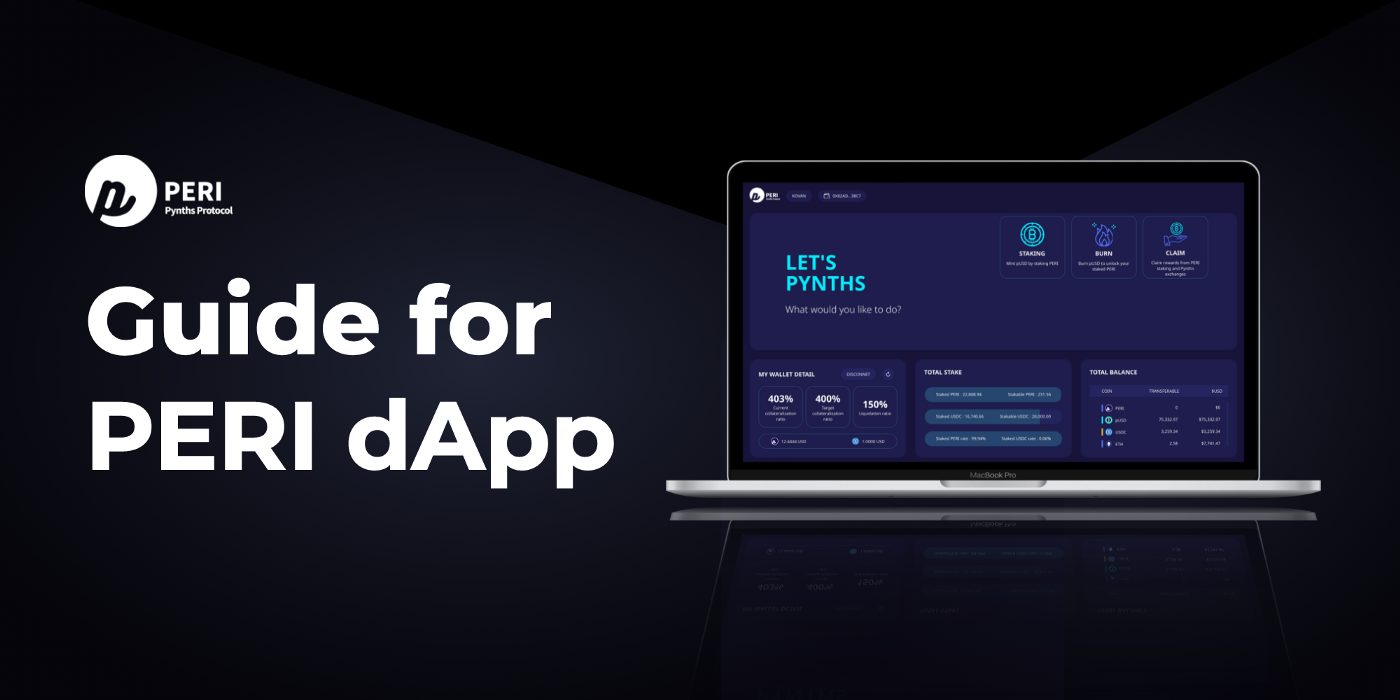
Peri Finance introduced its newly opened dApp details through the following info.
Buy PERI For Staking
First of all, you can stake the PERI tokens at dApp, and PERI is listed on following exchanges: Gate.io, MEXC Global
Also, you can find PERI trading pair on those Decentralized Exchanges below: Uniswap, Pancakeswap
Click here to see details about trading in DeX!
Add PERI Token on Metamask
If you want to use PERI dApp through Metamask, they suggest adding Token to your wallet first.
This document will explain the procedure about adding PERI token on Metamask.
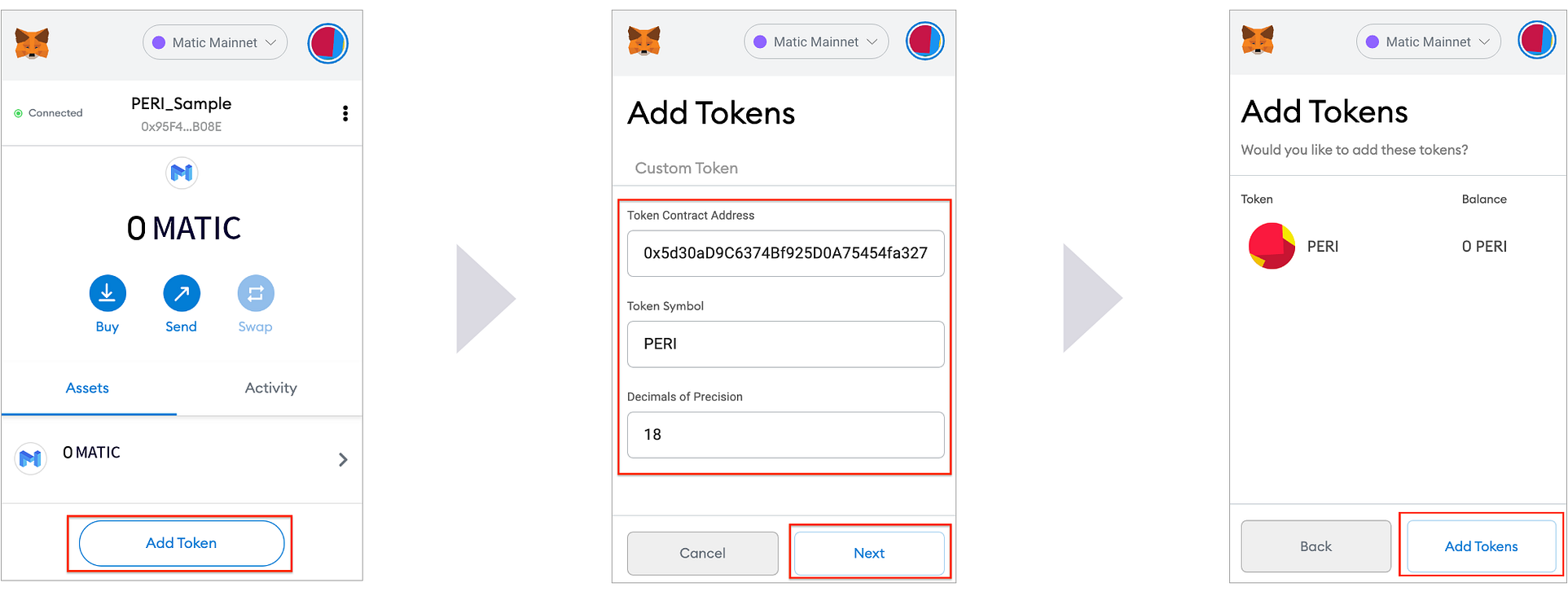
Step 1. Click the Metamask on the extension and click the “Add Token”
Step 2. At “Add Tokens” window, fill the info as below:
INFO
- Token Contract Address: 0x5d30aD9C6374Bf925D0A75454fa327AACf778492
- Token Symbol: PERI
- Decimals of Precision: 18
Step 3. Click “Add Tokens”, and you can see PERI token has been added into your Metamask wallet.
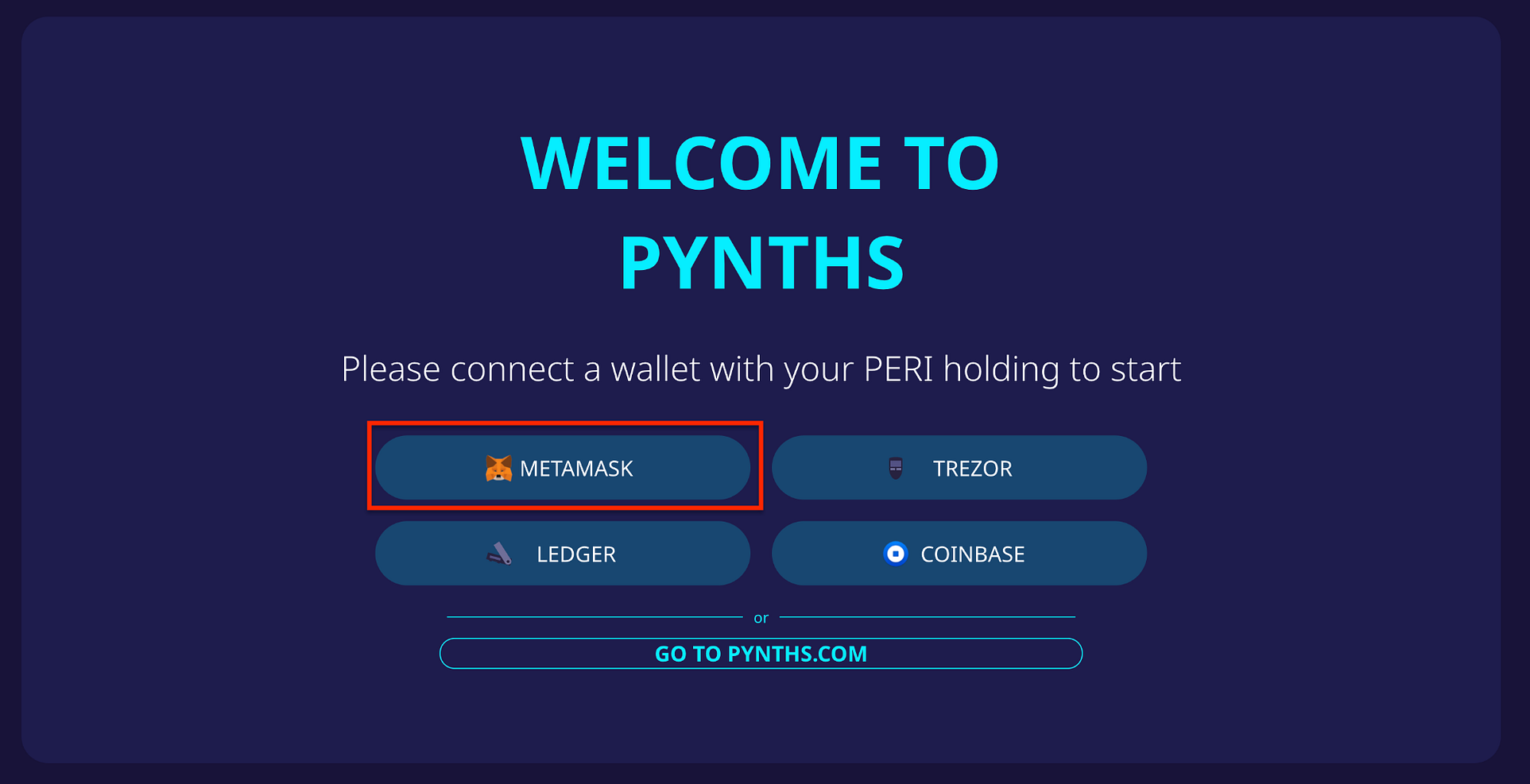
Step 4. After added Click the “Metamask” and sign in to your wallet.
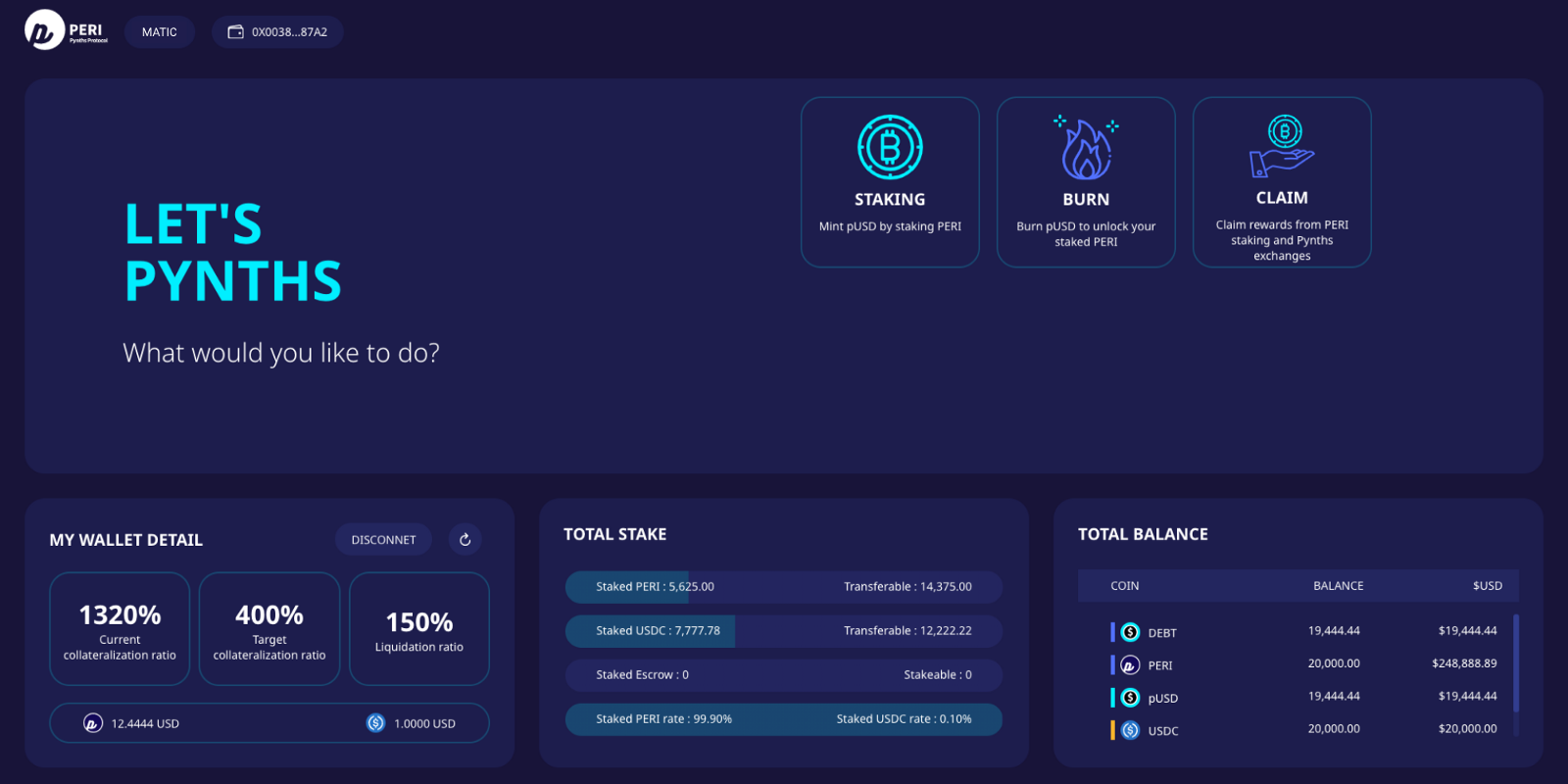
Main Page_PERI dApp
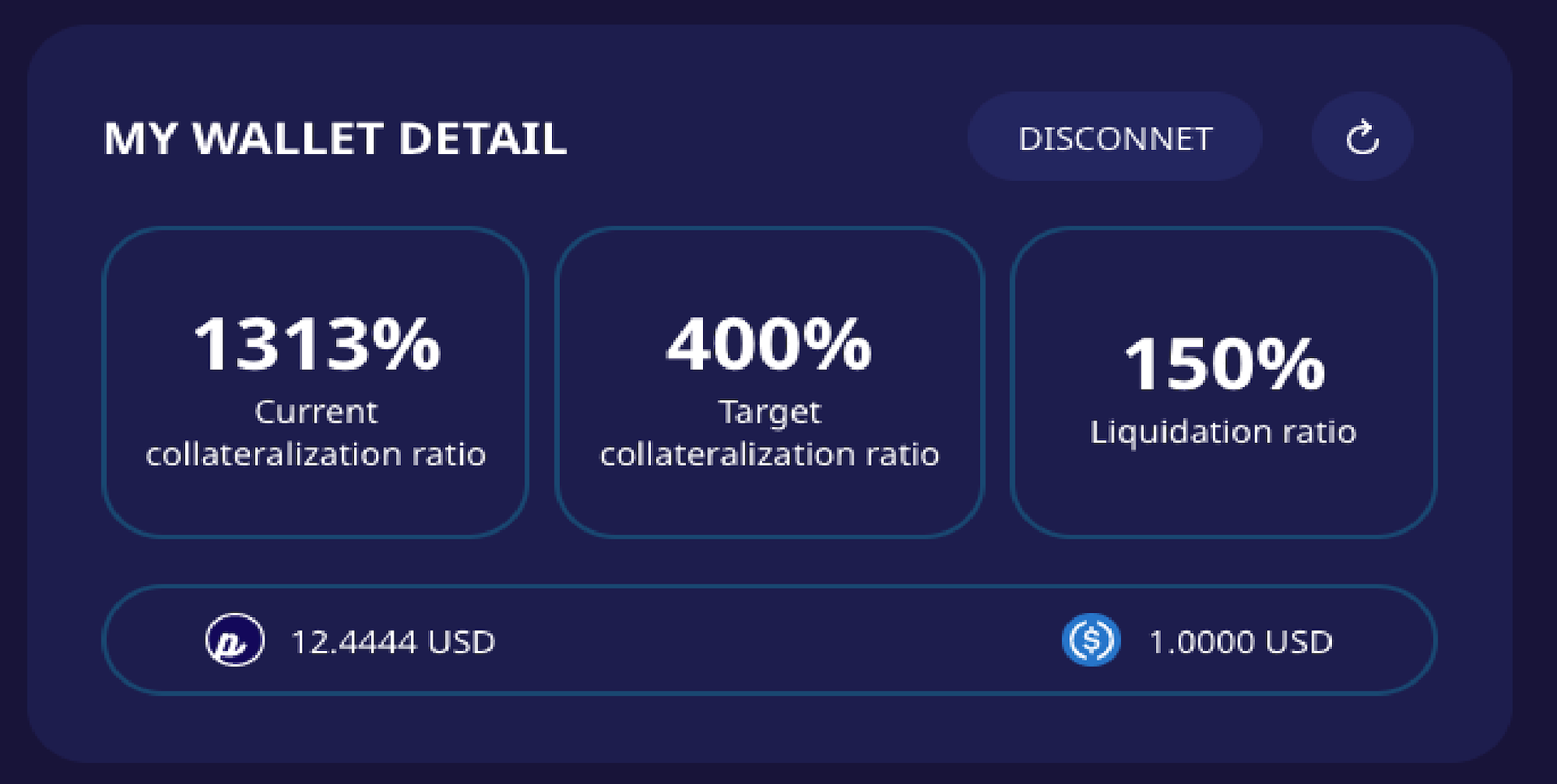
This is the main UI of PERI Finance dApp.
Users can use stake, burn, and claim in this page.
Staking
Users can mint PERI’s basic Pynth(PERI Synthetic Asset)pUSD through the staking process.
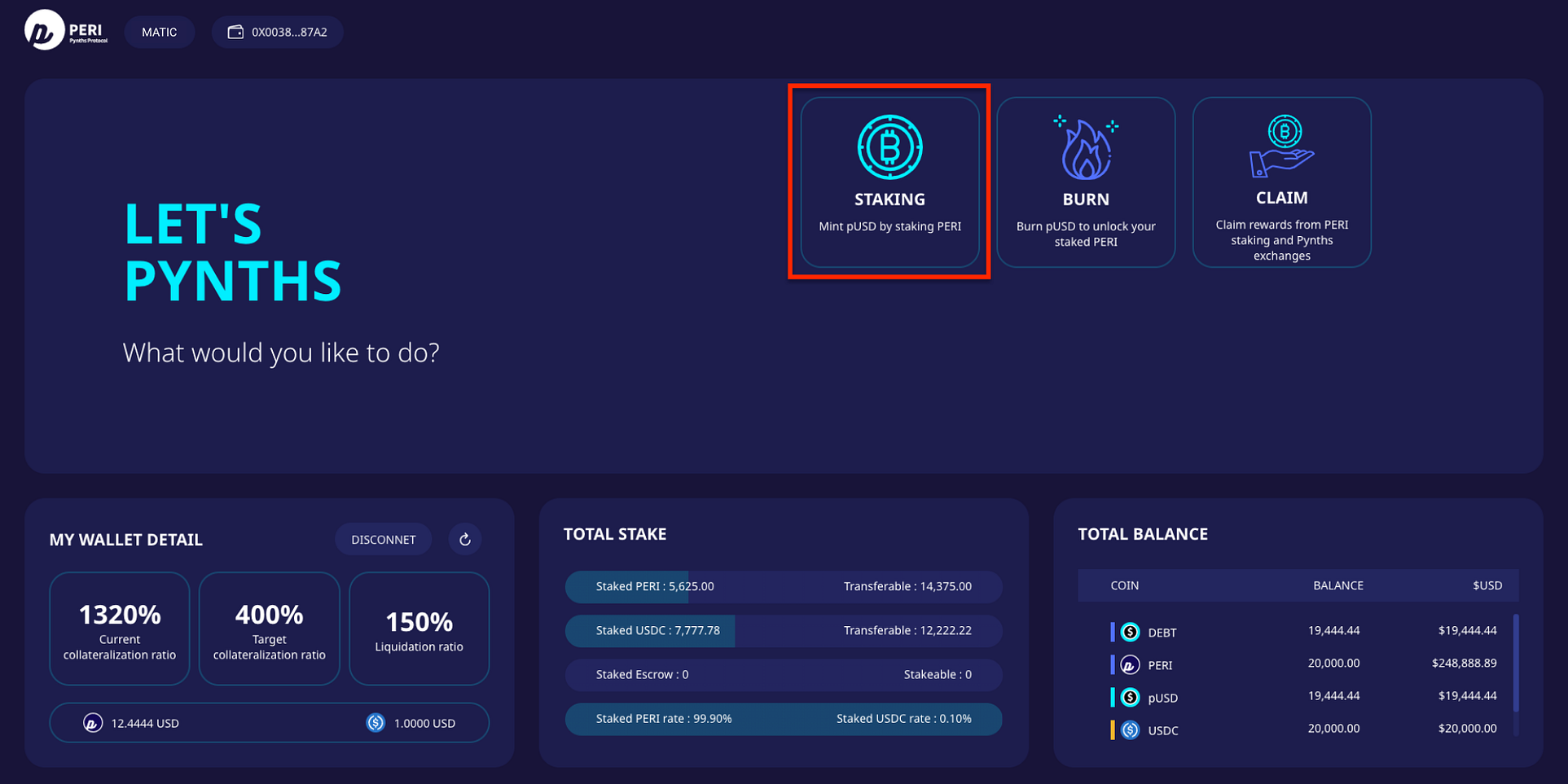
Step 1. Click ‘STAKING’ from the main page, then you can choose types of tokens want to stake.
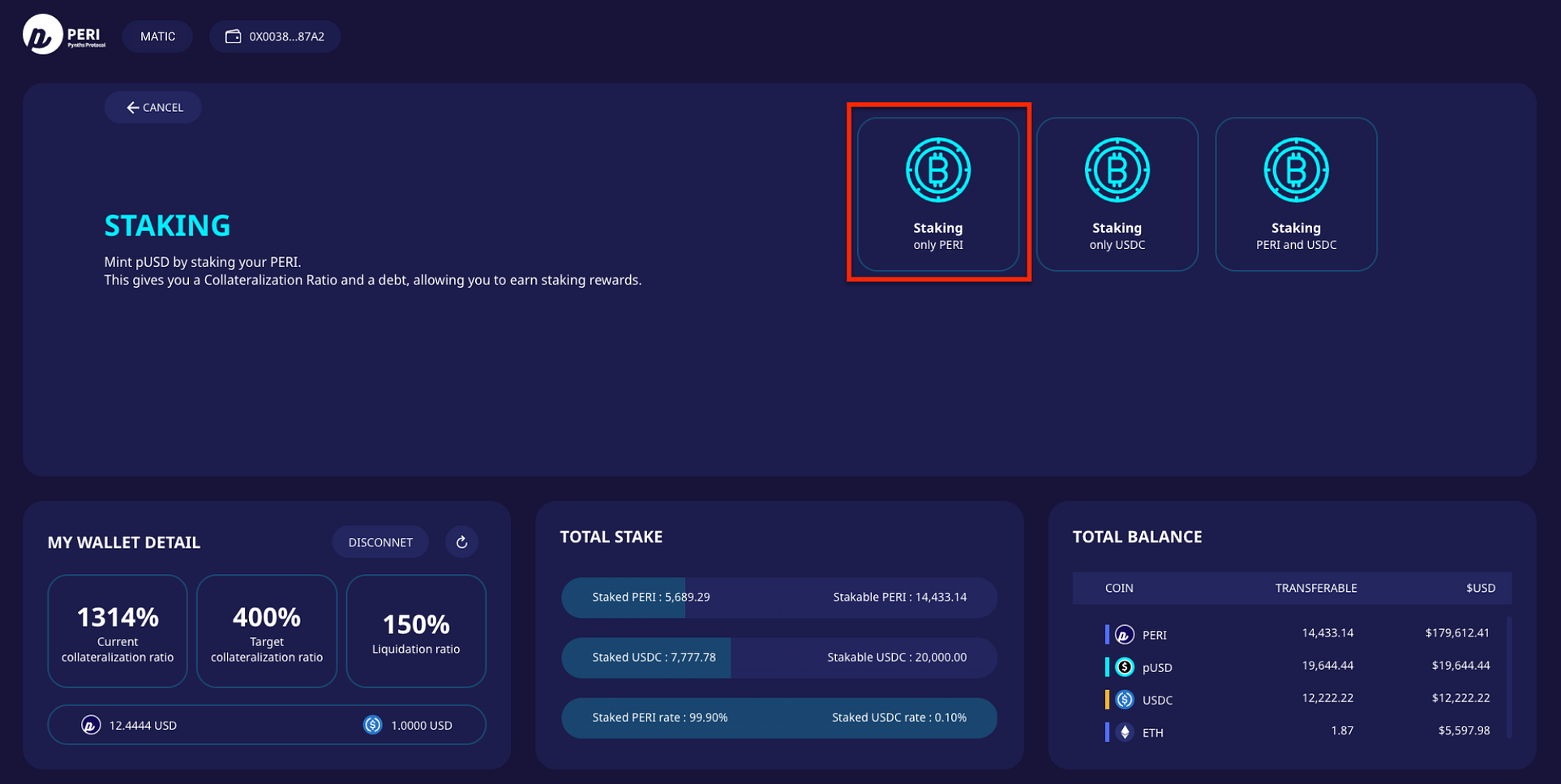
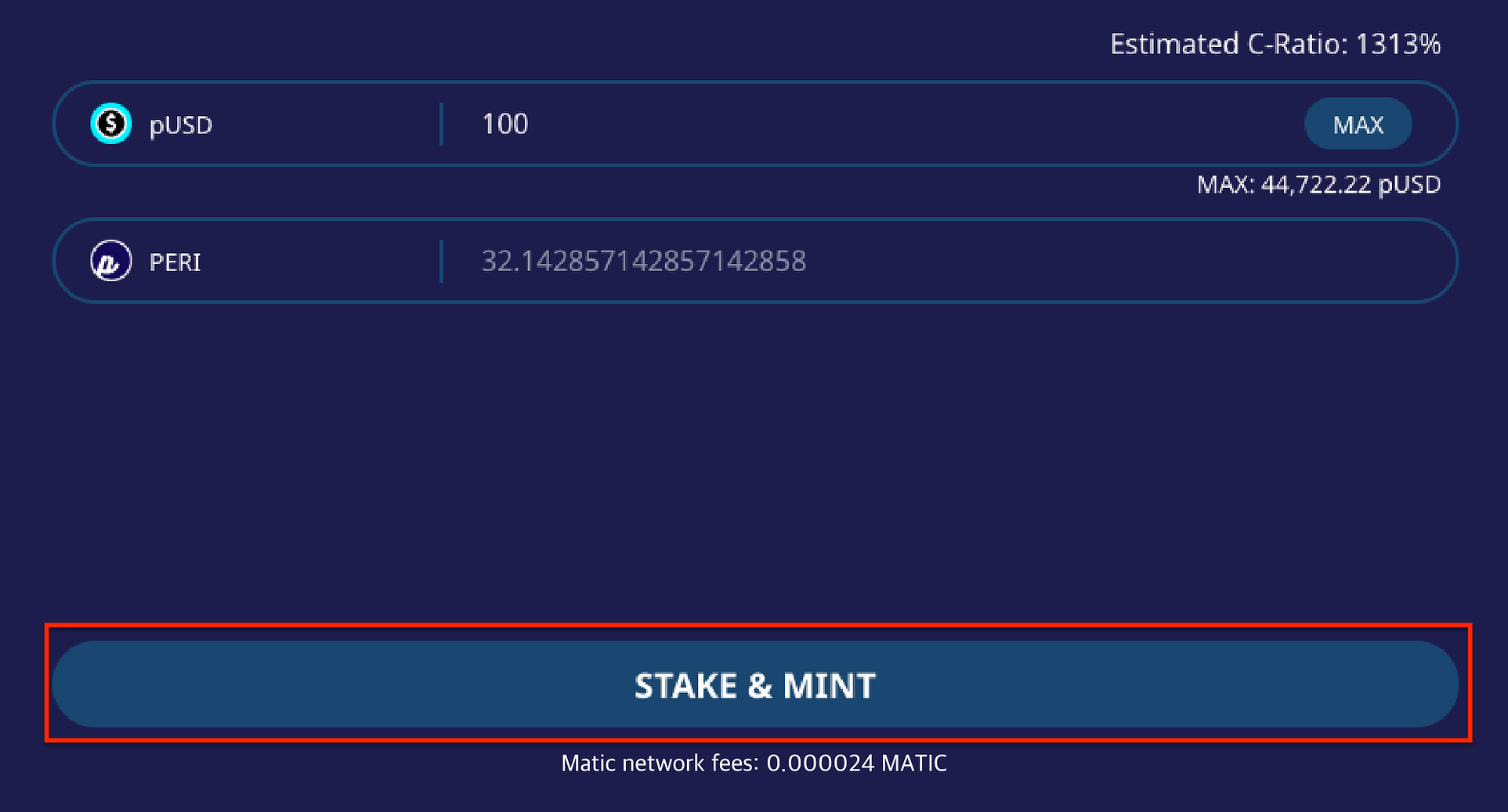
Step 2. If you select “Staking only PERI”, then you can input amounts of pUSD that you want to mint.
Step 3. As shown in the above example, you can mint 100 pUSD by staking 32 PERI. Click “STAKE & MINT”
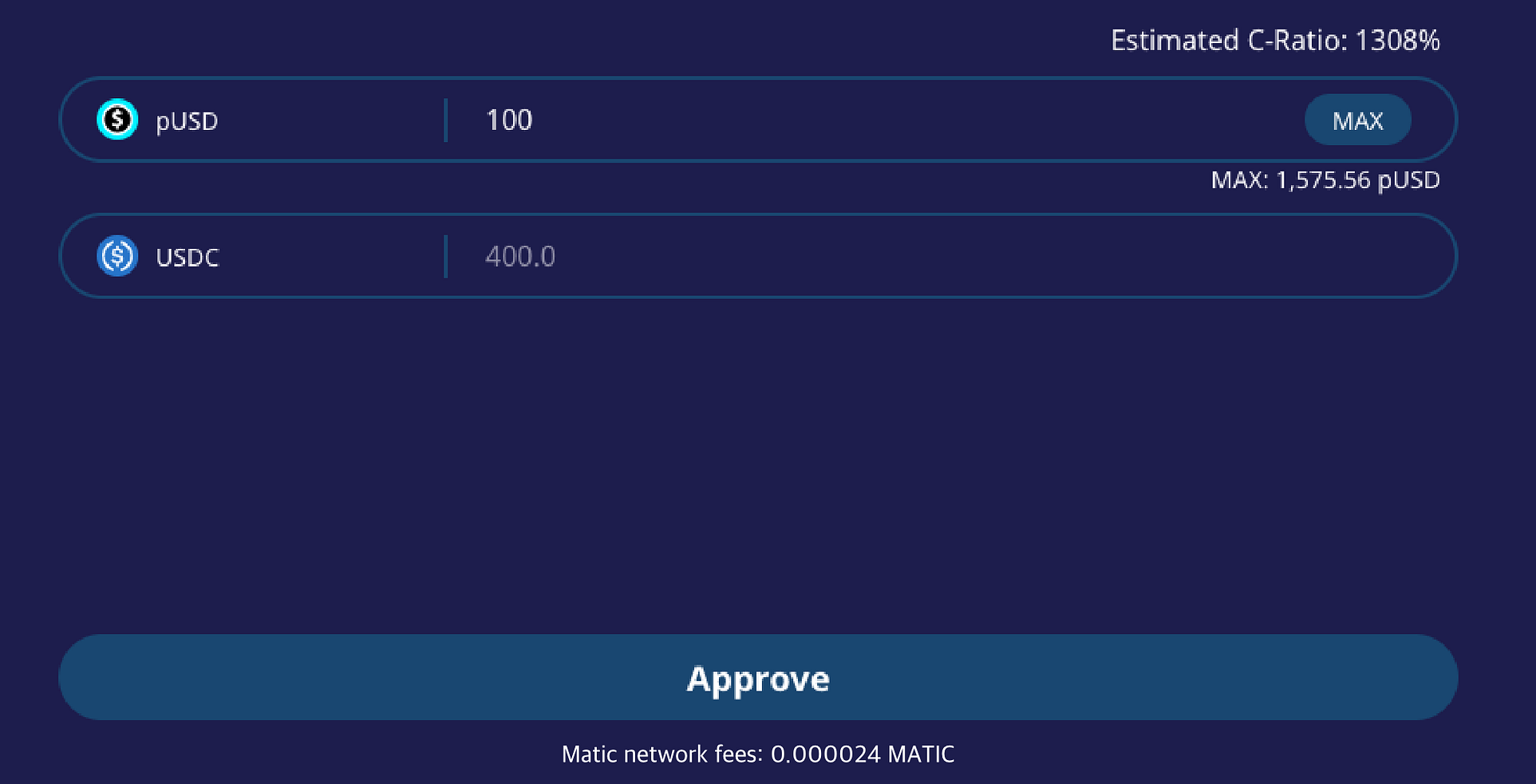
3–1. You can also mint pUSD by staking USDC.
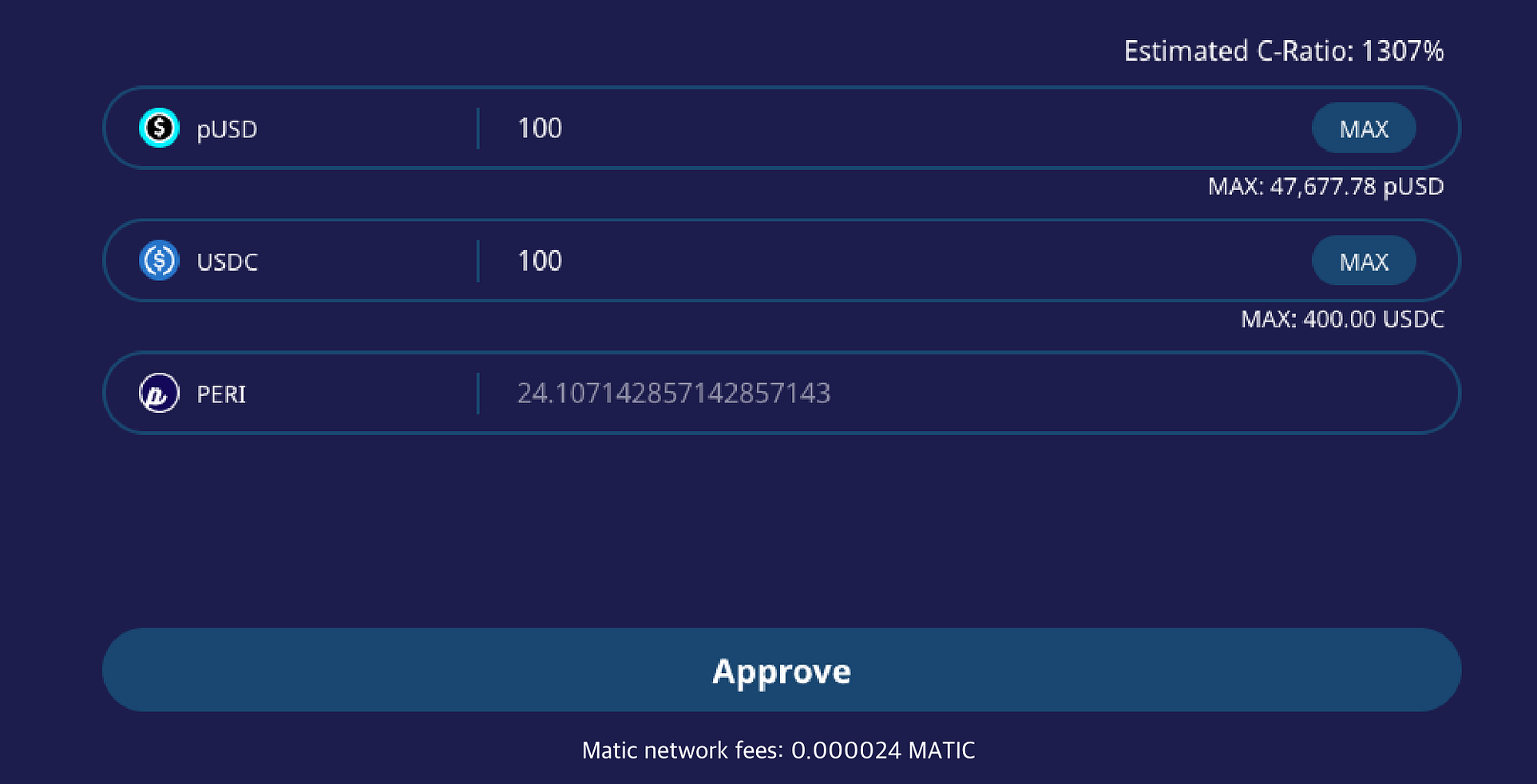
3–2. If you want to mint pUSD by staking USDC and PERI both, click the “Staking-PERI and USDC”, and input amount to mint pUSD and stake USDC.
(The system will display the necessary amount of PERI by inputting the amount of pUSD and USDC.)
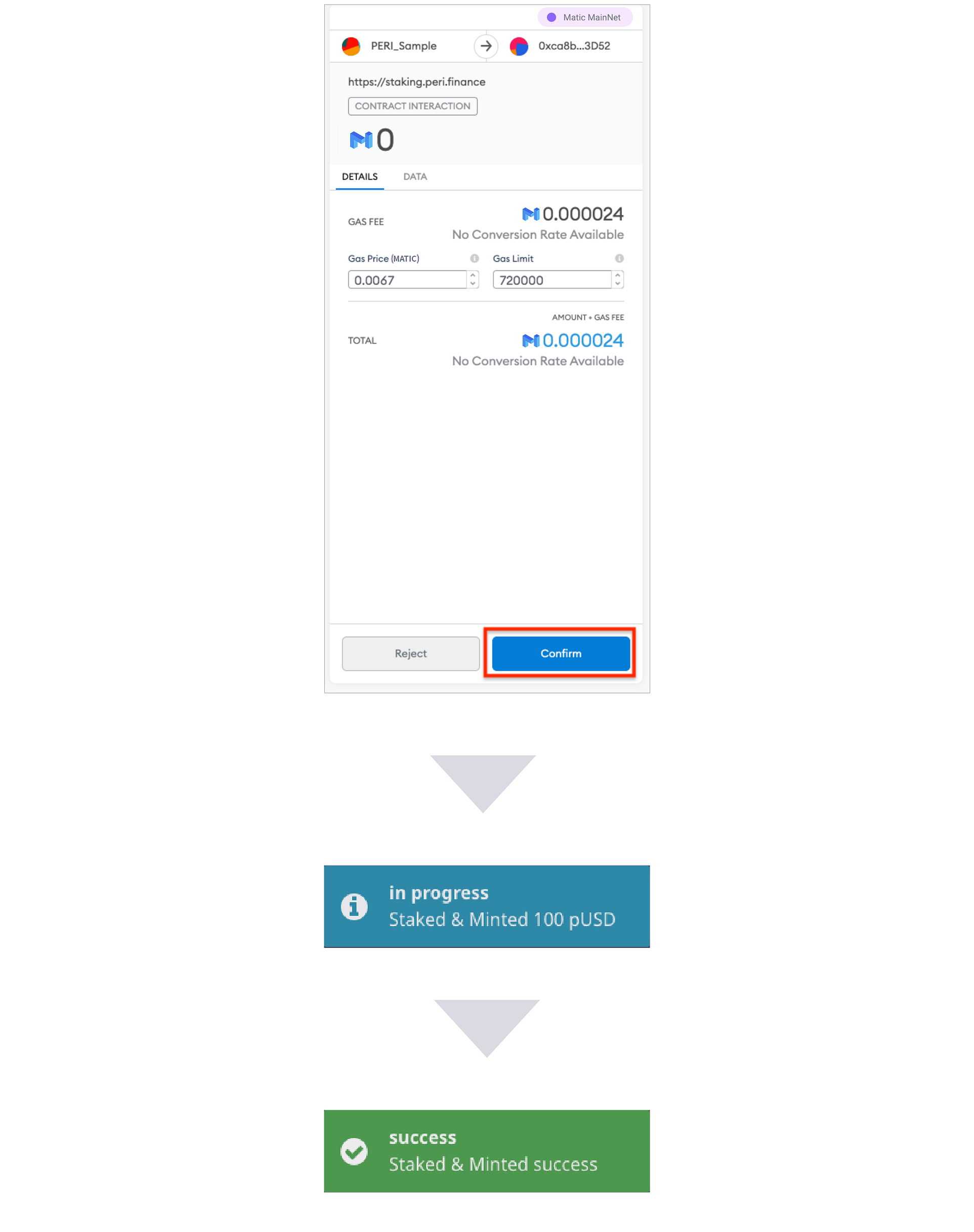
Step 4. Confirm the stake on the Metamask, and you can see the green “success” notification.
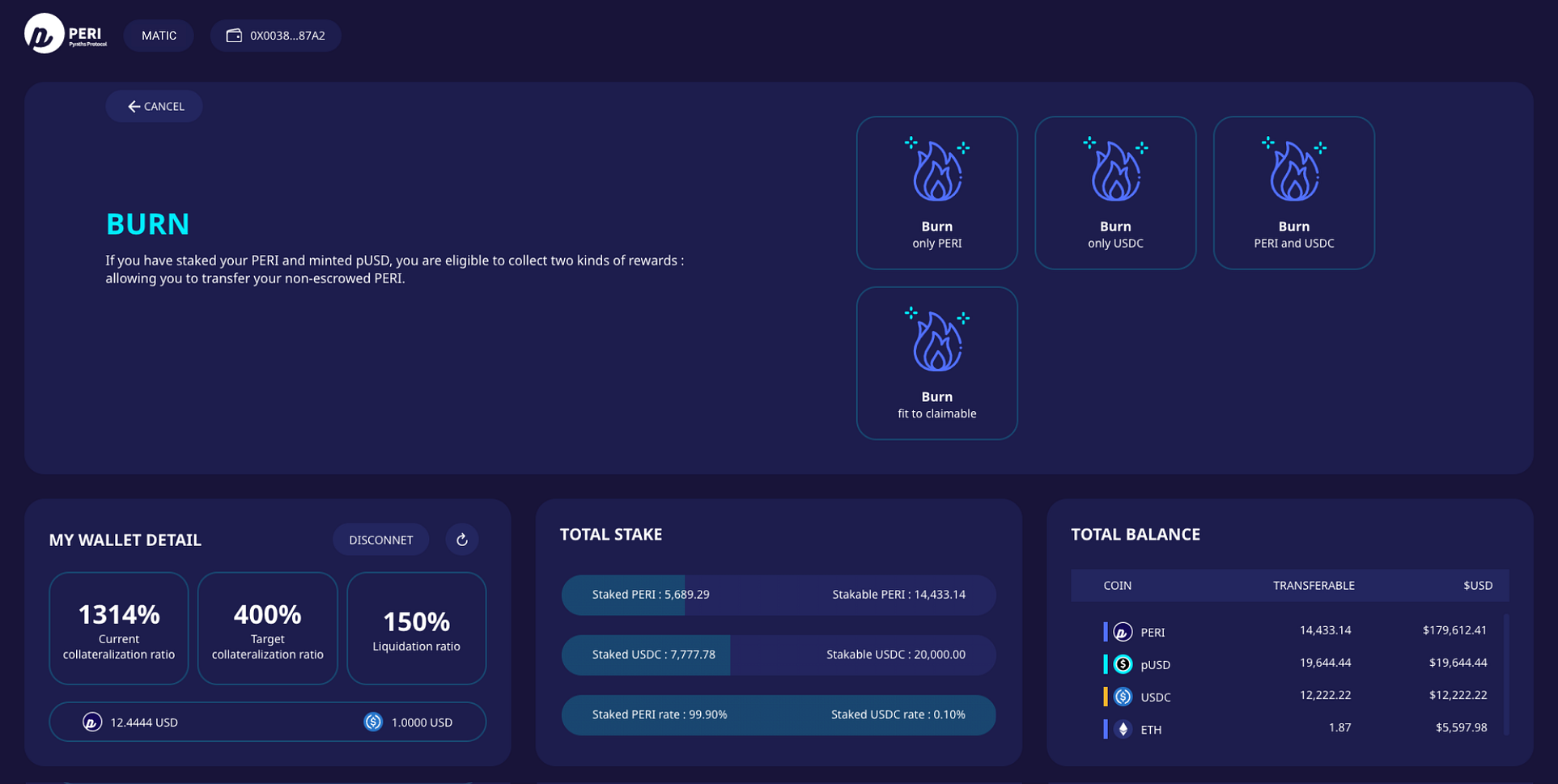
Burn
By burning pUSD, you can refund the staked tokens by selecting PERI, USDC, both PERI and USDC.
To adjust your C-ratio, you can also burn the minted pUSD.
(While your C-ratio is under the 400%, click ”Fit to claimable”, dApp will burn the pUSD to adjust the claimable C-ratio(400%) automatically.)
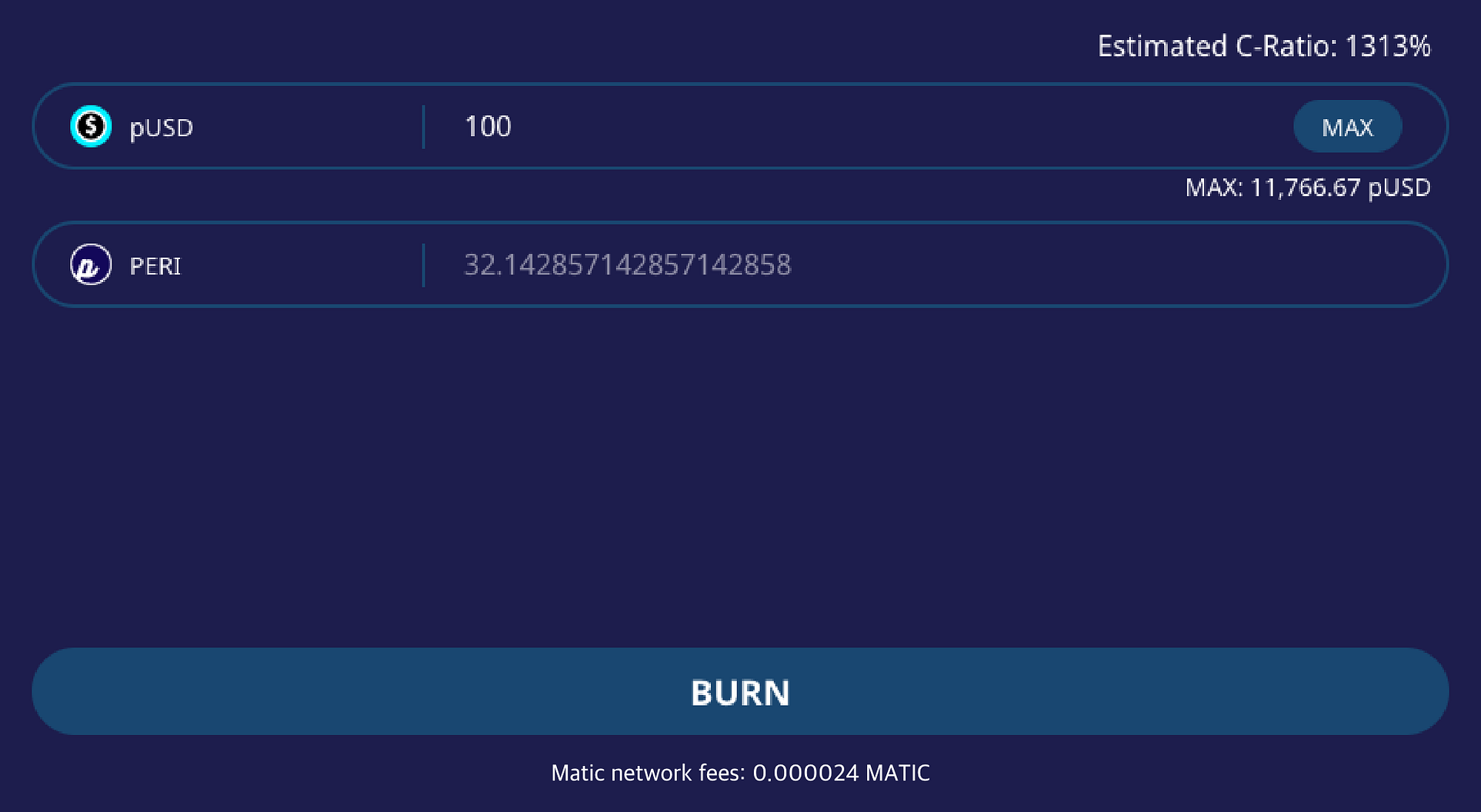
Method 1. You can burn pUSD for refund PERI only.
For example, you can refund 32PERI by burning 100pUSD as above.
(You have to hold certain amounts of PERI)
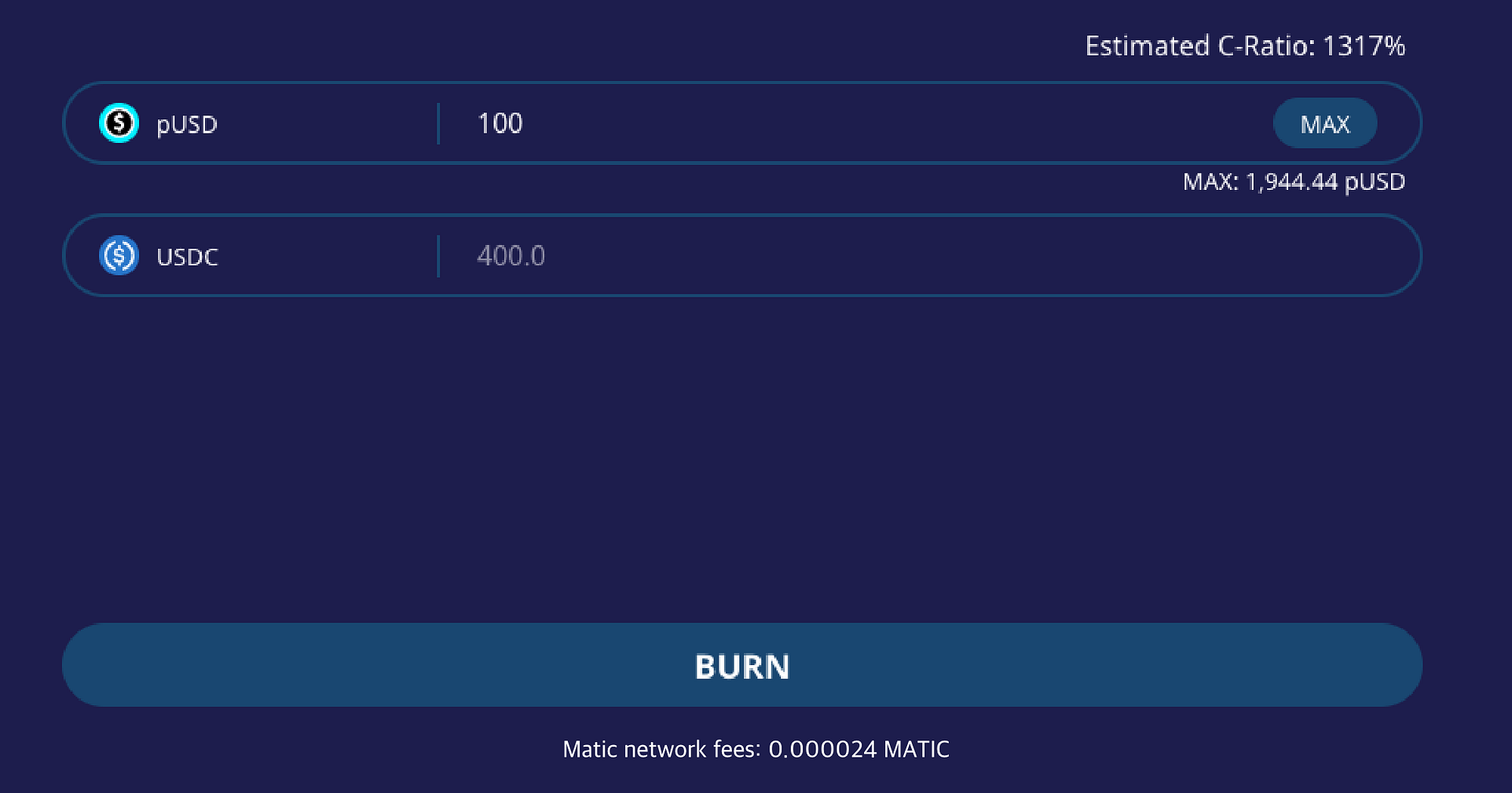
Method 2. Also, “burning USDC only” procedure is working similarly with burning PERI only.
(You have to hold certain amounts of USDC)
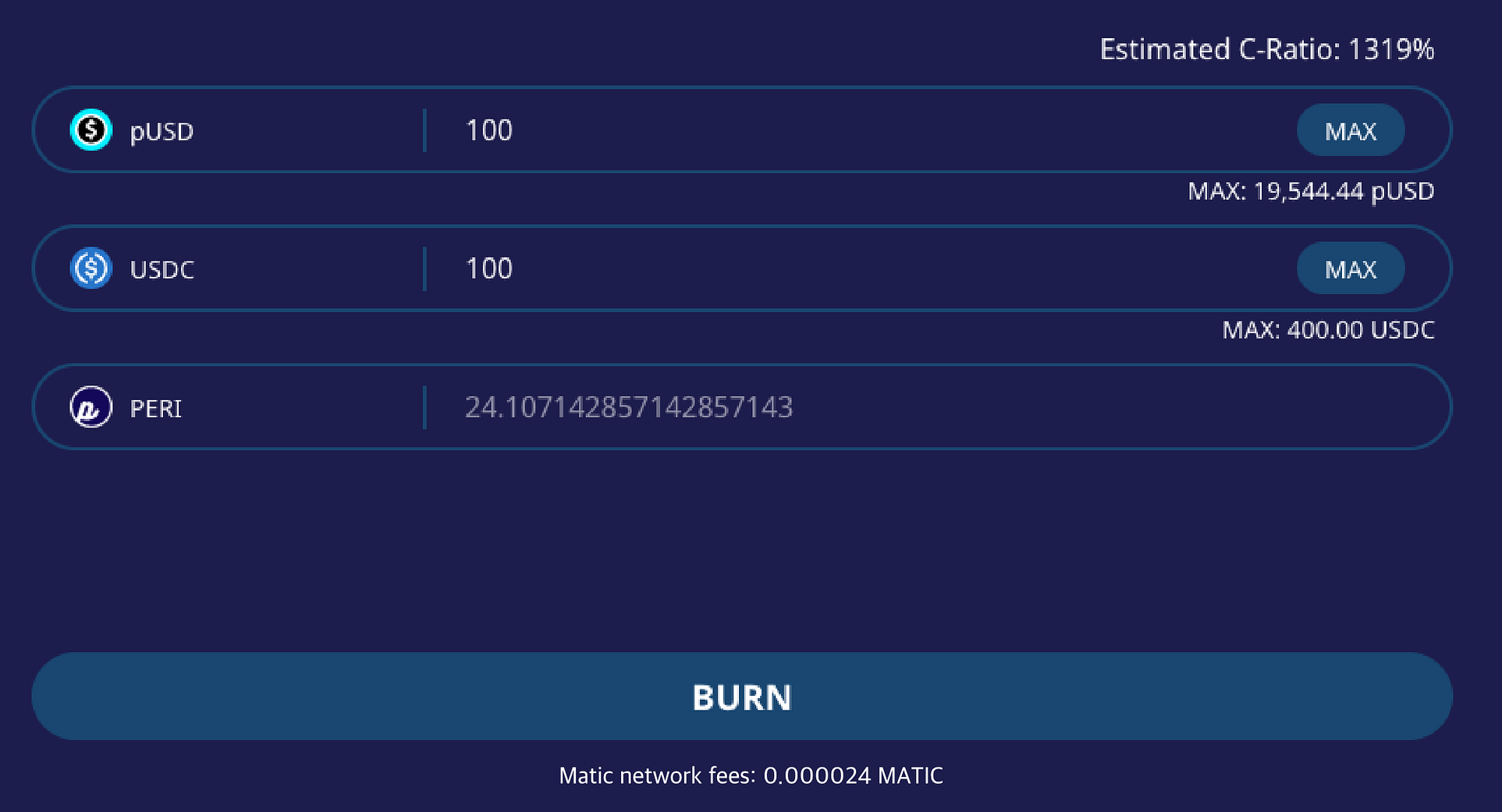
Method 3. By selecting both pUSD and USDC, you can get the USDC and PERI respectively. Input amount to burn pUSD and refund USDC.
(The system will display the necessary amount of PERI by inputting the amount of pUSD and USDC.)
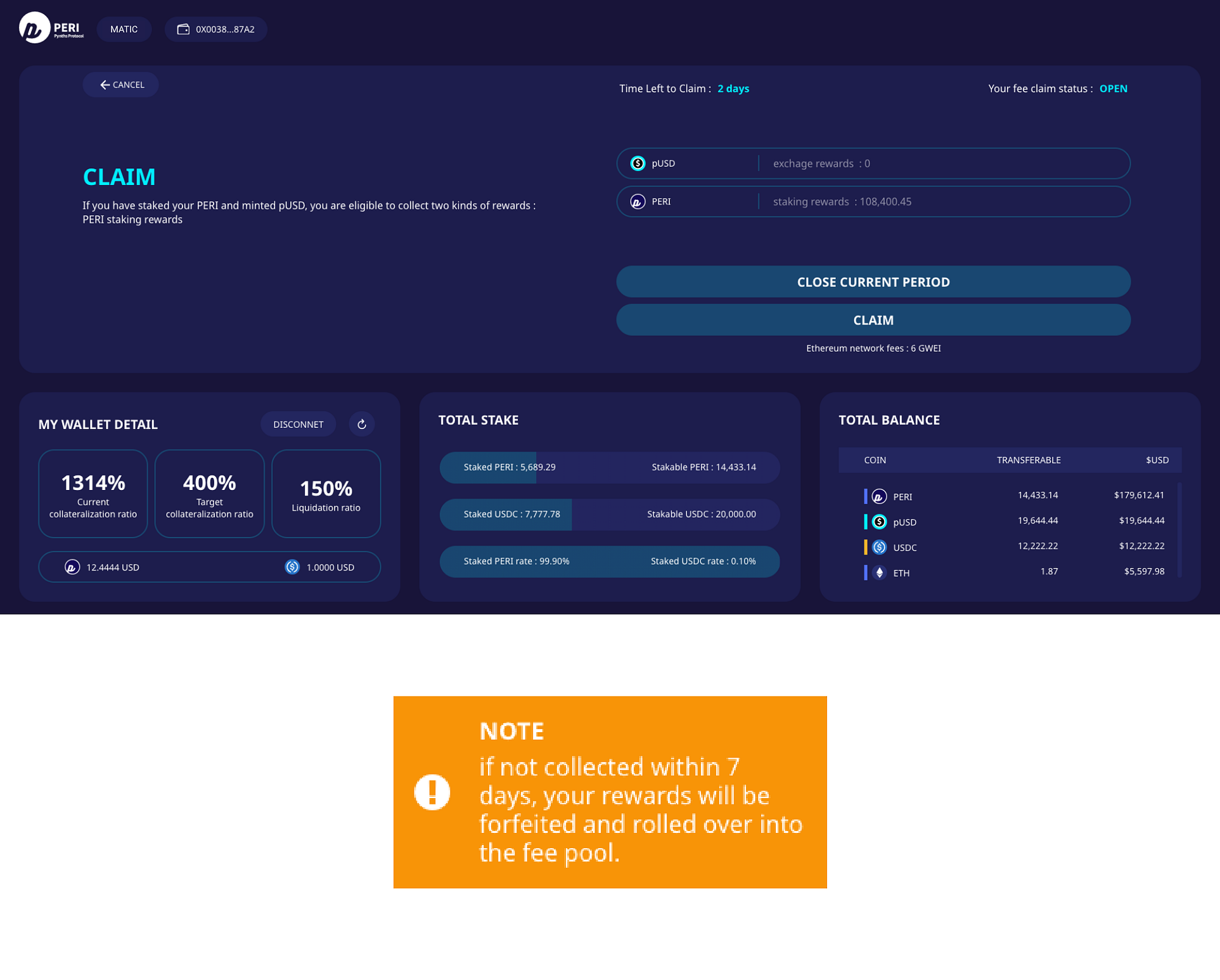
Claim
If your C-ratio is above 400%, you can claim based on staked tokens.
This claim is refreshed on every 7 days, so users should regularly check their claim dates.
About PERI Finance
PERI Finance is a decentralized, cross-chain synthetic asset issuance and derivatives exchange on the Polkadot network. PERI Finance allows accessing a wide range of both traditional financial and crypto assets in the form of leverage and non-leverage synthetic products. We empower users with the lower GAS fee, speedy transaction, and ample security from front-running or flash loan.
📰 INFO
https://medium.com/perifinance/peri-finance-dapp-guide-on-matic-polygon-mainnet-31cce0a61a71